

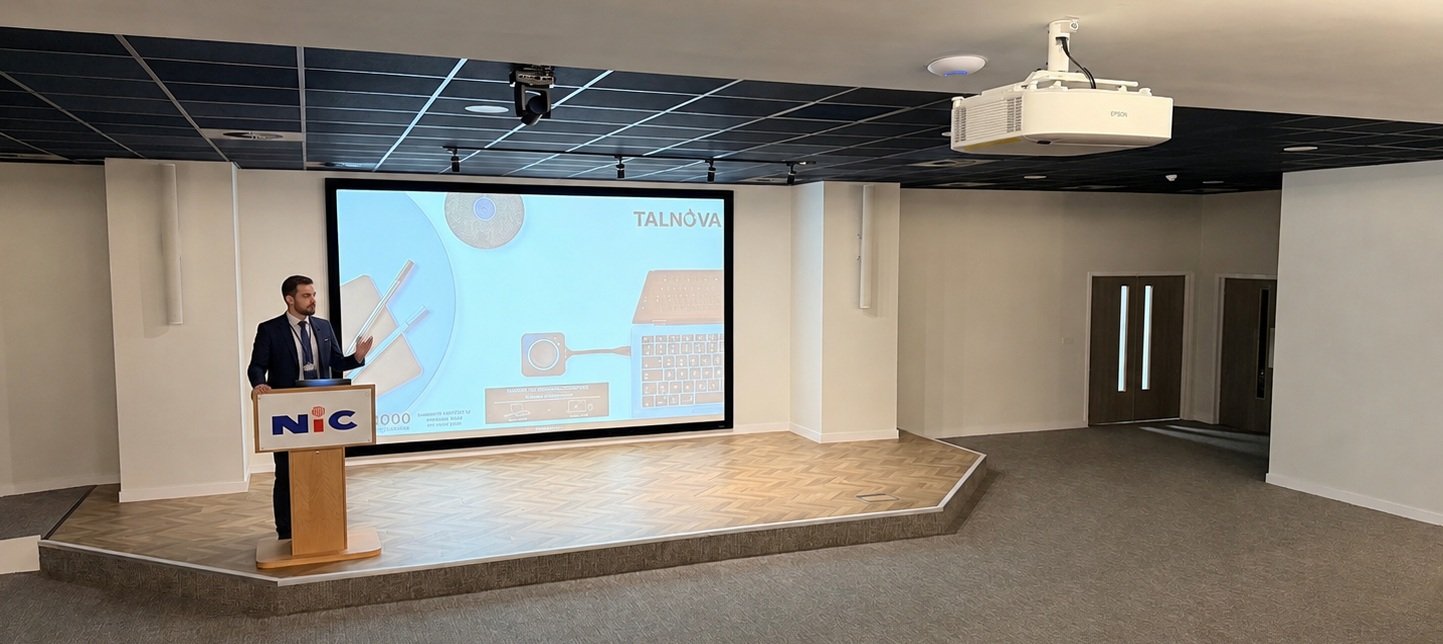
A new auditorium for training, presentations and hybrid collaboration
NIC Services Group Ltd is a UK facilities management and contract cleaning provider, with over 40 operational centres across the UK and Ireland.
Client: NIC Services Group Ltd
Location: Leeds, West Yorkshire
Sector: Facilities services
Scope: Auditorium AV design and installation
Project Brief
NIC Services Group, a national provider of cleaning, security, catering and facilities services, commissioned AV2000 to design and install the audio visual systems for a dedicated auditorium at its new Leeds office.
The brief was to create a professional, flexible space for training and presentations, with the ability to bring remote participants into sessions through Microsoft Teams, Zoom and other meeting platforms.
Ease of use was central to the design. Presenters needed the freedom to connect their laptops using either a wired connection at the lectern or wireless sharing, with straightforward control of the room’s audio visual systems.
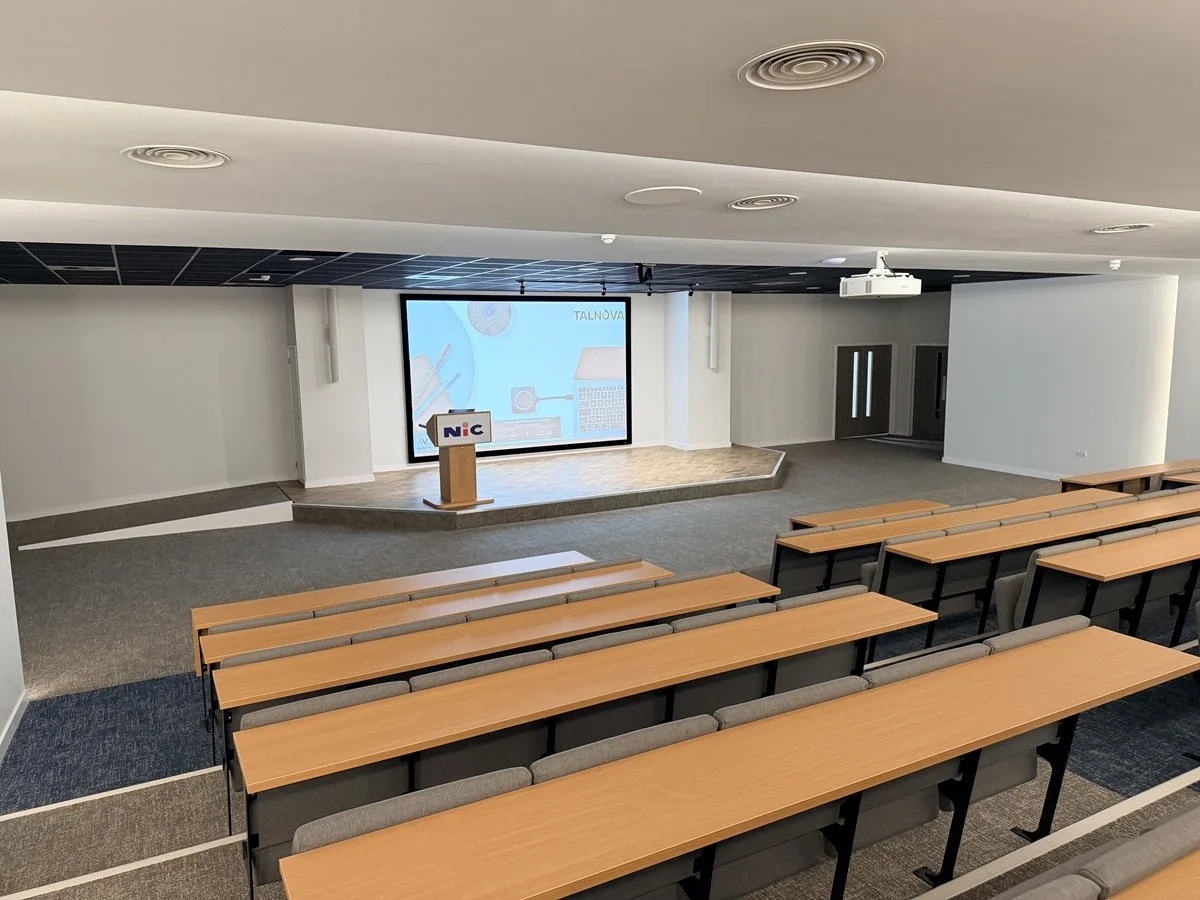
The Solution: AV2000 brought together large-format projection, professional audio, presenter tracking and integrated control to complement the auditorium’s tiered seating and contemporary interior.
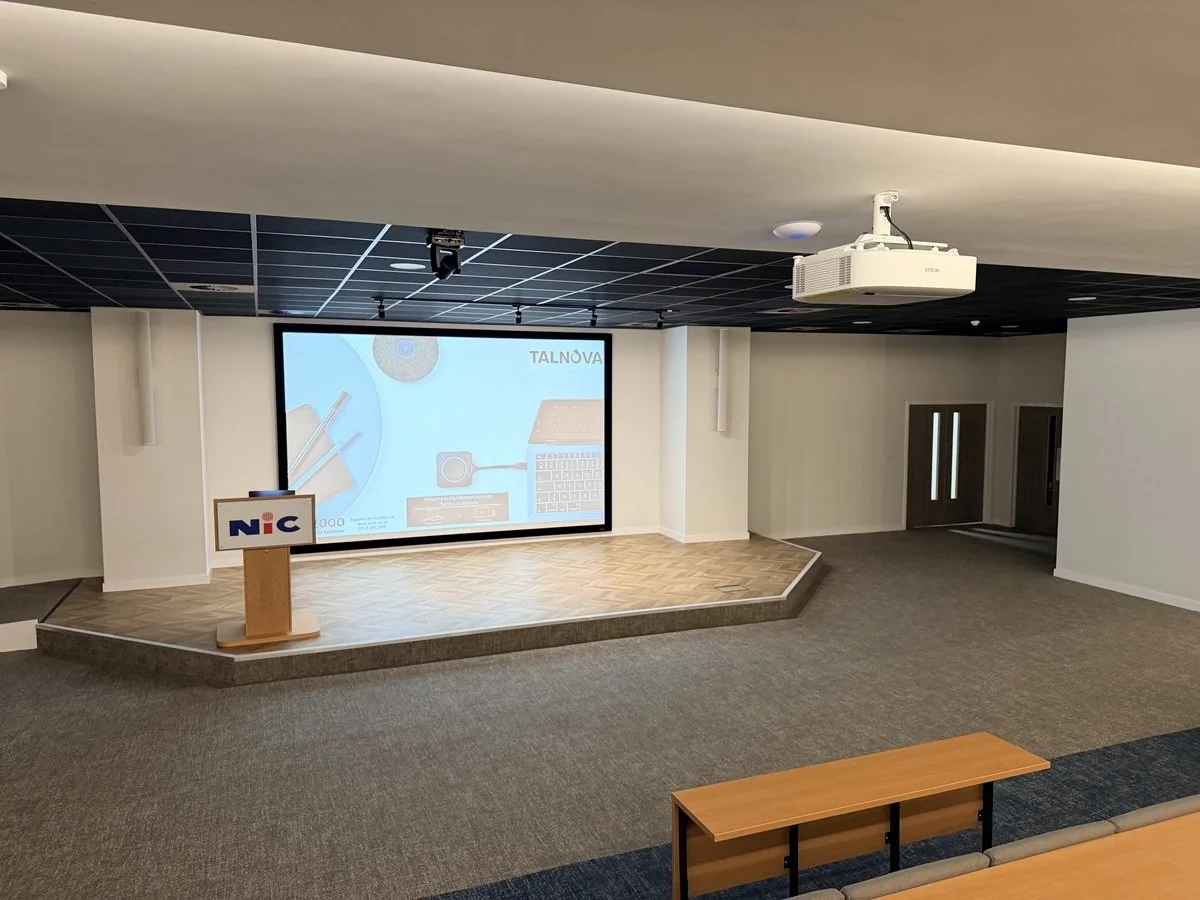
Projection, presenter tracking and column loudspeakers integrated into the presentation area.
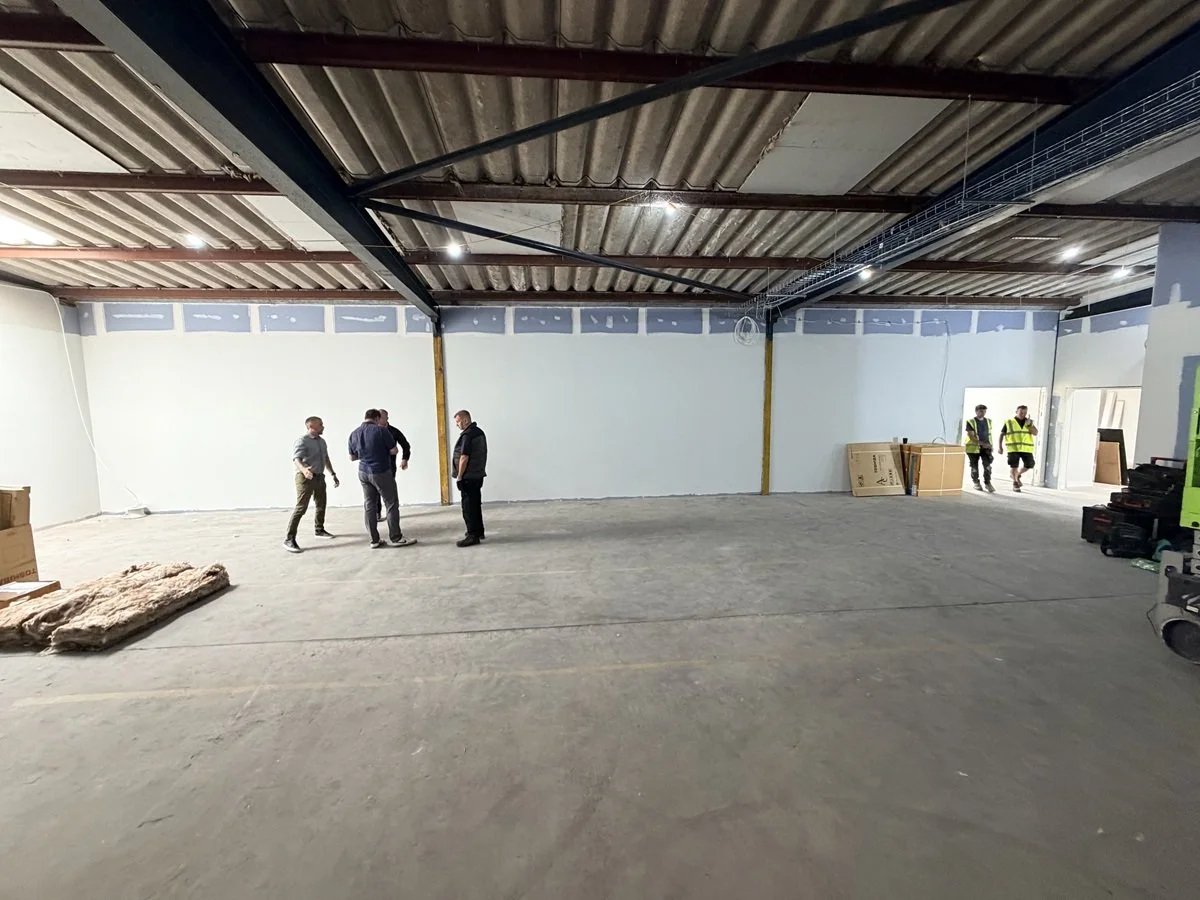
From fit-out to finished auditorium
Coordinating the Installation:
The AV installation formed part of the wider office fit-out, requiring close coordination with the interiors company and other trades.
AV2000 planned its installation activities around painting, carpet laying and finishing works, coordinating access and the sequence of work as the auditorium took shape. This collaborative approach helped integrate the technology into the finished space while accommodating the practical demands of an active fit-out.
Large-scale visuals
An Epson EB-PU2010W WUXGA laser projector, paired with a four-metre fixed-frame screen, provides the visual centrepiece. The large image supports training materials, detailed presentations and video content, giving the room a strong focal point.
Flexible presentation and hybrid meeting capabilities
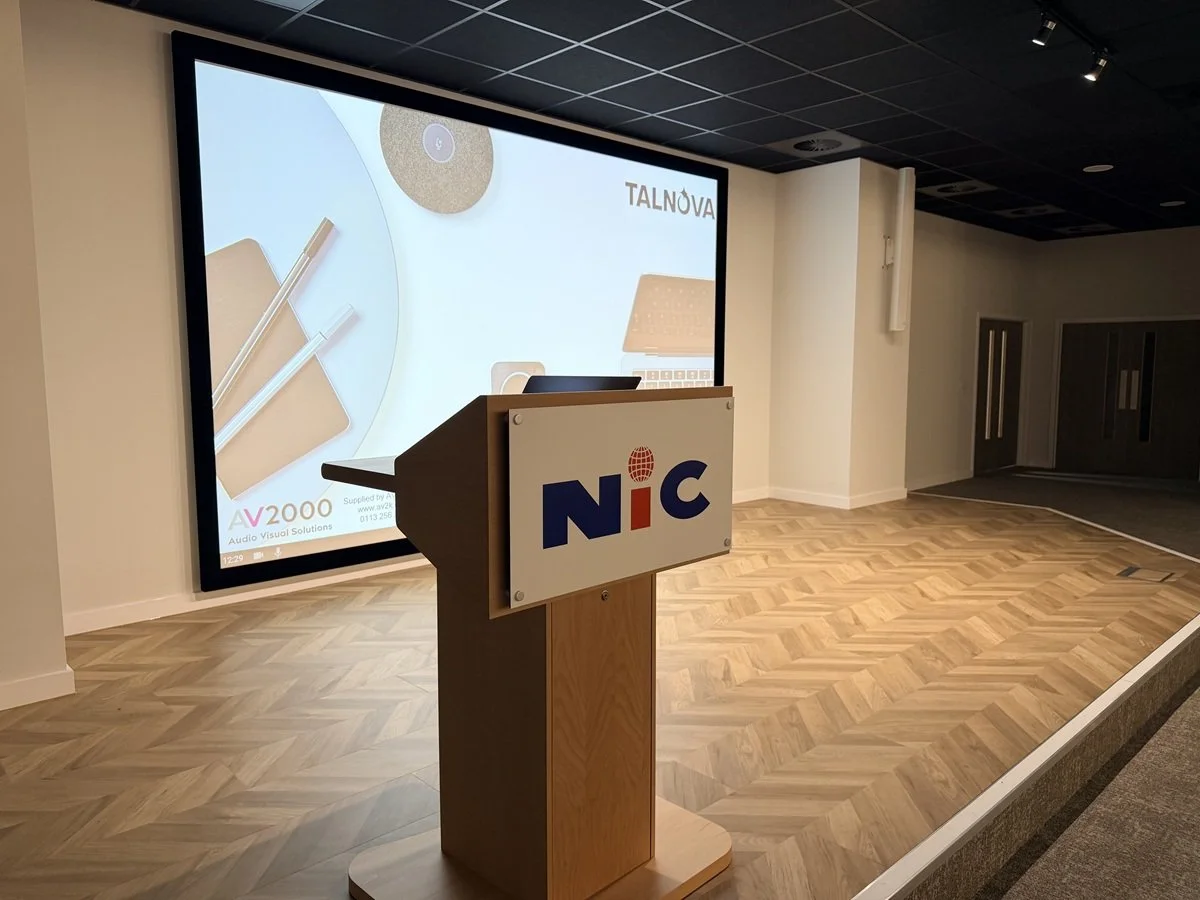
A branded beech lectern provides a dedicated presentation position, with a wired laptop connection and an integrated eight-inch Extron colour touchscreen.
Barco ClickShare CX-30 adds wireless presentation and conferencing capabilities. Users can host Teams, Zoom and other compatible meetings from their own laptops, connecting to the auditorium’s camera and audio system to include remote colleagues and guests.
An AVer TR315 tracking camera follows the presenter, helping remote participants stay connected to the session as the speaker moves around the presentation area.
Audio for speech and multimedia
The audio system combines Extron column array loudspeakers with discreet in-ceiling subwoofers, amplification and digital signal processing. This provides a system designed for clear speech reproduction alongside fuller sound for video and multimedia presentations.
Sennheiser SpeechLine wireless lapel and handheld microphones give presenters a choice of microphone to suit their delivery, from hands-free training to handheld presentations and audience contributions.
Straightforward room control
An Extron control processor and scaler switcher bring the systems together through the lectern touchscreen, providing a central point for everyday AV operation. The integrated approach keeps the presenter’s focus on delivering the session.
The Result
NIC Services Group now has a dedicated auditorium equipped for in-person training, business presentations and hybrid sessions. The installation brings together:
Large-format projection for presentations and training content.
Wired and wireless connectivity to accommodate different presenters.
Laptop-based conferencing through Teams, Zoom and other compatible platforms.
Presenter tracking and wireless microphones to support remote participation.
Centralised touchscreen control for straightforward operation.
From an unfinished shell to a fully equipped presentation environment, the project demonstrates AV2000’s ability to integrate professional audiovisual technology into an ambitious workplace transformation.
Frequently Asked Questions
What are the key benefits of installing a direct-view LED video wall in a corporate headquarters?
Direct-view LED video walls deliver seamless visual impact for executive spaces, reception areas, and main boardrooms:
Zero bezels: Unlike traditional LCD multi-monitor grids, LED panels create a completely seamless, continuous canvas for presentations and high-resolution video.
Superior brightness and contrast: High-nits LED technology maintains vivid picture clarity and color accuracy even in brightly lit environments with direct sunlight.
Custom aspect ratios and sizes: Modular LED tiles can be assembled to fit any architectural wall space, supporting custom resolutions and ultra-wide layouts.
Long operational lifespan: Enterprise-grade LED panels provide extended longevity with minimal maintenance compared to commercial projectors.
How does an integrated audio system improve presentation clarity in large corporate spaces?
Large presentation spaces and open-plan briefing areas require structured acoustic design to ensure speech intelligibility across the entire room:
Distributed ceiling or line-array speakers: Ensures even volume coverage across all seating positions without harsh hot spots or quiet dead zones.
Digital Signal Processors (DSPs): Automatically balances microphone levels, filters background hum, and prevents acoustic feedback during live Q&A sessions.
Dedicated wireless microphone systems: Handheld, lapel, and boundary microphones allow multiple presenters to speak clearly without restricted movement.
What is commercial digital signage, and how does it enhance corporate office communication?
Commercial digital signage combines networked displays with centralized content management software to stream real-time information across an organization. Key applications include:
Internal communications: Displaying company metrics, upcoming event announcements, and executive messages in employee breakrooms and corridors.
Visitor welcoming: Showing tailored greeting messages, brand videos, and corporate portfolios in reception areas.
Wayfinding and room status: Displaying live meeting room availability and floor maps outside key meeting hubs.
How can touch-screen room control panels improve user adoption of office AV technology?
Custom-programmed touch panels simplify complex audio-visual hardware by replacing multiple remotes with intuitive, single-touch commands:
One-touch meeting launch: Pre-configures displays, audio routing, and videoconferencing systems with a single press.
Environmental controls: Integrates room lighting presets, motorised window blinds, and heating controls into the same interface.
Reduced IT support calls: Simplified, standardized touch interfaces across all rooms give employees confidence to operate systems without technical assistance.
Why should businesses choose commercial-grade displays instead of consumer TVs for office meeting rooms?
Commercial displays are engineered specifically for enterprise environments, offering significant advantages over residential TVs:
Extended operating hours: Rated for 16/7 or 24/7 continuous operation without panel degradation or image burn-in.
Anti-glare coatings: Reduces reflections from bright overhead office lighting and large windows.
Control system integration: Includes RS232, LAN, and Crestron/Extron control protocols for remote power management and automated input switching.
Commercial warranties: Backed by multi-year advanced replacement warranties tailored for business continuity.
What considerations are necessary when retrofitting AV technology into existing office architecture?
Retrofitting modern AV systems into established corporate buildings requires careful planning:
Structural wall assessment: Evaluating load-bearing capacity for heavy LED walls or large-format 98-inch displays.
Cable containment and pathways: Designing discreet floor channels, wall chases, or ceiling tracks to route power and data invisibly.
Power distribution and cooling: Ensuring rack locations have sufficient dedicated power circuits and adequate ventilation to prevent hardware overheating.
How does centralized AV-over-IP distribution work in modern office buildings?
AV-over-IP (Audio-Visual over Internet Protocol) uses standard corporate network infrastructure to transmit uncompressed 4K video and multichannel audio across an entire facility:
Limitless scalability: Any display connected to the network can access any video source without routing physical matrix switches.
Reduced cabling complexity: Uses standard Cat6A or fiber-optic network cables rather than specialized, thick HDMI extensions.
Centralized hardware placement: AV receivers and processors can be consolidated in server racks, leaving meeting rooms clean and minimalist.
What are the essential AV requirements for executive presentation suites and town hall areas?
Executive suites and all-hands presentation spaces require multi-functional AV setups to support both local audiences and remote attendees:
Dual or triple display setups: Presenting speaker video feeds, slides, and confidence monitors simultaneously.
Auto-tracking PTZ cameras: Smoothly following executives as they move across the stage or podium area.
High-density wireless audio systems: Providing interference-free lapel and handheld wireless mics for multiple presenters.
Live streaming integration: Routing local audio and video directly into webcast platforms for remote employees.
How do automated room sensors improve office energy efficiency and AV resource management?
Smart room sensors connected to an integrated AV control system automate energy management based on room occupancy:
Automated power-down: Displays, sound systems, and room lights automatically turn off when a space remains unoccupied for a set period.
Instant room activation: Motion sensors wake up control screens and displays as soon as attendees enter the room.
Occupancy analytics: Provides facilities managers with data on room utilization rates to optimize future office space planning.
What role does intuitive UI/UX design play in corporate AV control systems?
The User Interface (UI) and User Experience (UX) designed into room touch panels dictate how smoothly employees interact with room technology:
Consistency: Maintaining identical button layouts and color schemes across all rooms reduces confusion.
Role-based screens: Offering simple "Quick Start" options for standard users while locking advanced audio routing settings behind admin controls.
Visual feedback: Clear status indicators showing microphone mute states, volume levels, and active display sources build user confidence.