

Hybrid meeting spaces for an expanding York office
Great Rail Journeys is the UK’s leading escorted rail tour provider, offering all-inclusive global holidays and river cruises accompanied by dedicated tour managers.
Client: Great Rail Journeys
Location: Hudson Quarter, York
Scope: Equipping five office spaces with AV solutions designed for hybrid meetings, training and collaboration within the client’s expanded York office.
Project Brief
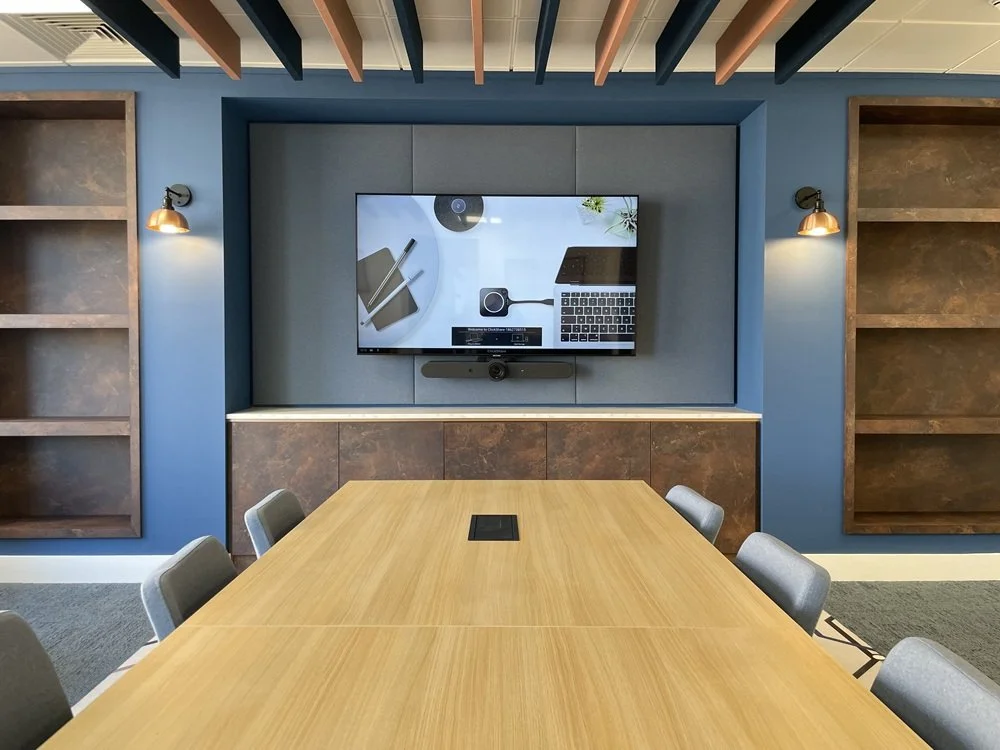
Great Rail Journeys was refurbishing its York office as part of an expansion. AV2000 was asked to equip a number of spaces with hybrid meeting facilities, bringing Logitech video conferencing and Barco ClickShare wireless connectivity into the refurbished workplace.
The project covered five rooms across the third and fifth floors of the HQ Building at Hudson Quarter.
The requirement was to support meetings, training and collaboration with people both in the office and joining remotely, using equipment suited to each space while providing a consistent approach to wireless connectivity.
The Solution
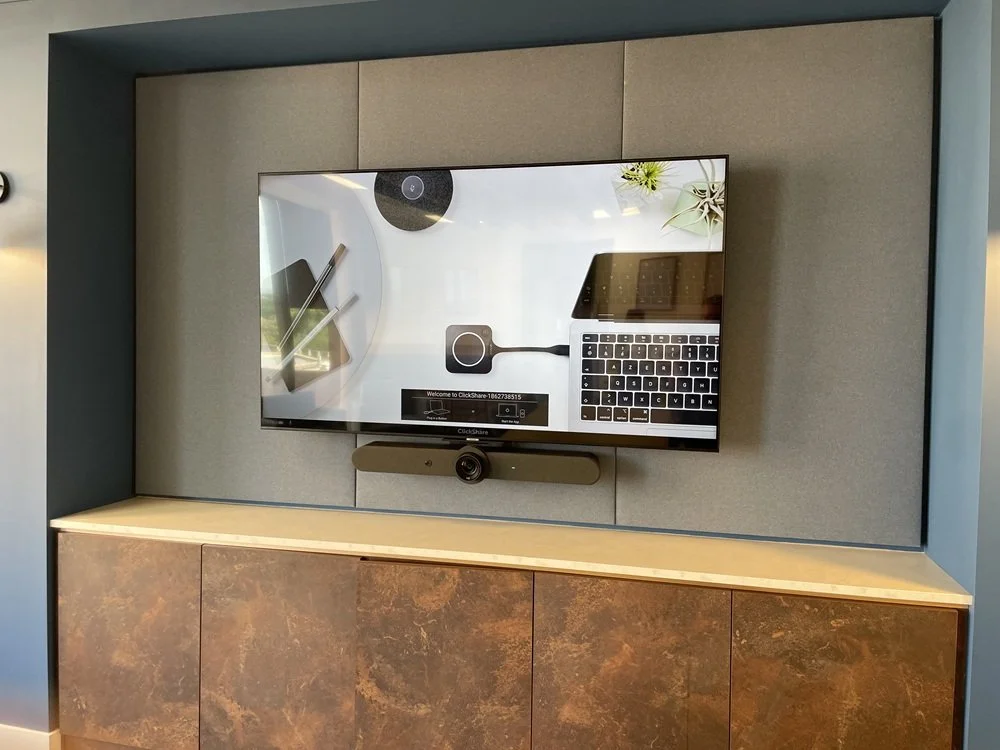
We installed Logitech conferencing systems and Barco ClickShare CX-20 wireless conferencing devices across all five rooms.
The installation combined new LG displays with existing screens, allowing useful equipment to be retained as part of the office refurbishment.
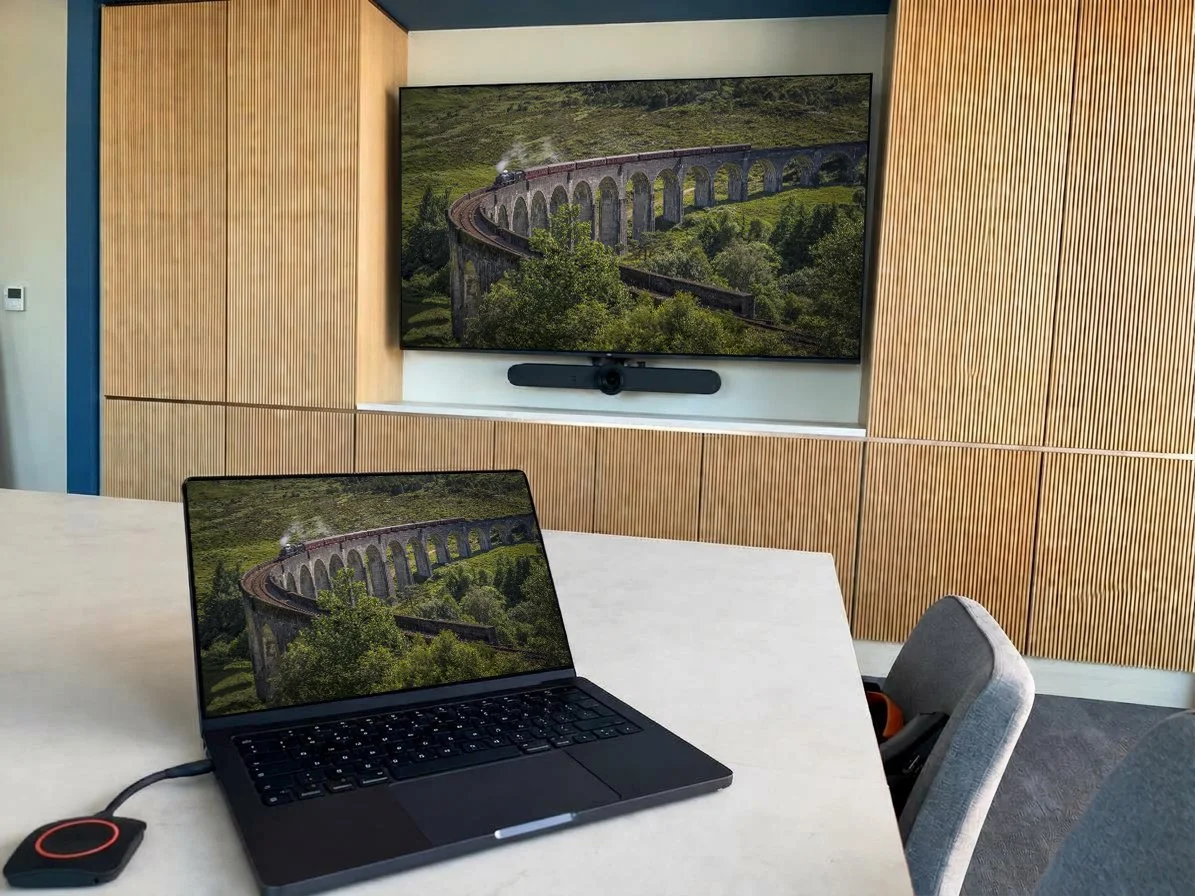
In the third floor Training Room, an 86-inch LG display and a Logitech Rally Bar, supported by two Rally Mic Pods located on the meeting room table.
This arrangement provides additional microphone pickup points for training sessions and group discussions.
A Barco ClickShare CX-20 provides wireless connectivity for users bringing their own laptops, allowing users to carry out web based video calls wirelessly.
Meeting Rooms 1 and 2 each received a 65-inch LG display, a Logitech Rally Bar Mini and a Barco ClickShare CX-20.
Matching installations give staff a consistent setup when moving between these two rooms, with video conferencing and wireless sharing available in each.
On the fifth floor, the Disaster Recovery Suite was equipped with a new 86-inch LG display along with a Logitech Rally Bar, two Rally Mic Pods to provide the conferencing facilities. Barco ClickShare CX-20 adds wireless connectivity.
The Creative Suite retained its existing 75-inch LG display and wall bracket, complemented by a Logitech Rally Bar and Barco ClickShare CX-20.
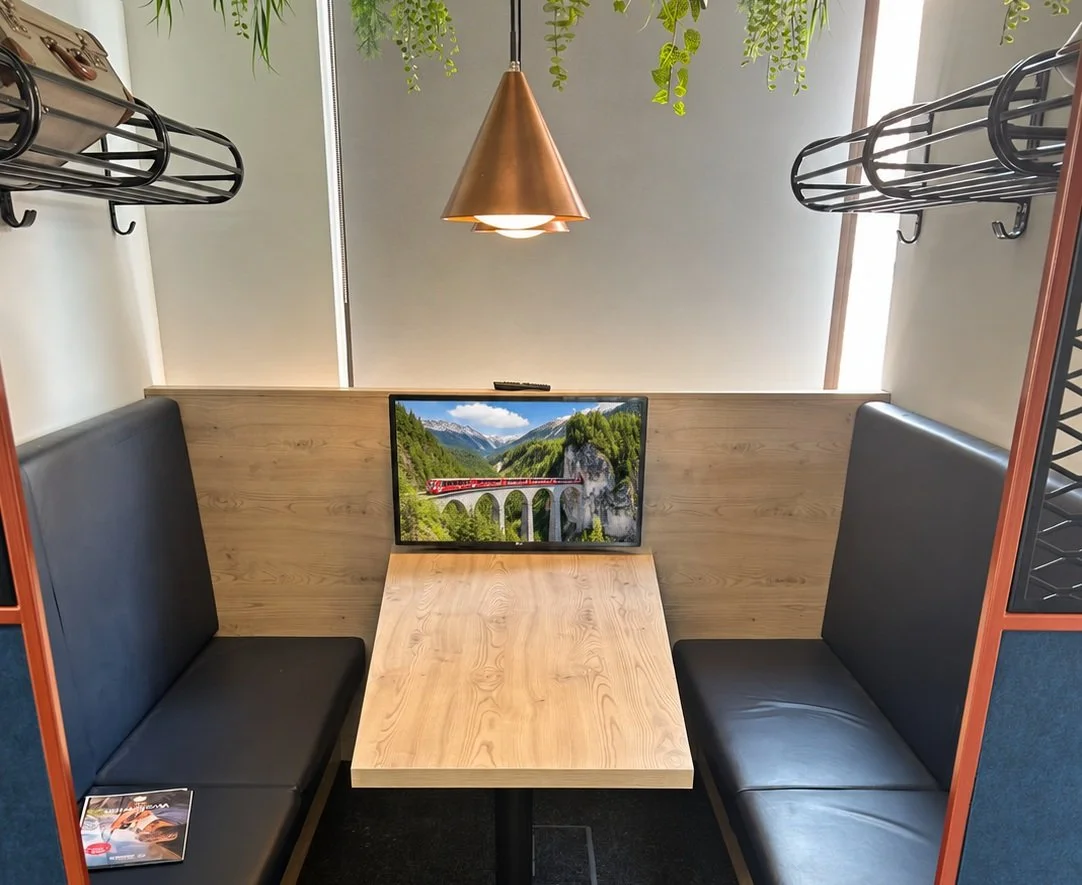
The wider installation also included the reinstallation of two existing 32-inch screens, making further use of equipment already available to Great Rail Journeys.
Key System Highlights
Five hybrid meeting spaces across the third and fifth floors
Three Logitech Rally Bars and two Rally Bar Minis
Barco ClickShare CX-20 wireless conferencing in every room
Four Rally Mic Pods across the Training Room and Disaster Recovery Suite
Two new 86-inch LG displays and two new 65-inch LG displays
Existing 75-inch displays retained in the two fifth-floor suites
Two existing 32-inch screens reinstalled as part of the works
The Result
The completed installation gives Great Rail Journeys five equipped spaces for hybrid meetings, training and collaboration within its expanded York office. Logitech conferencing systems support communication with remote participants, while a common Barco ClickShare approach provides wireless connectivity throughout the rooms. Combining new displays with retained equipment also allowed the refurbishment to build on the company’s existing AV investment.
Benefits Delivered
Hybrid meeting facilities across five different workplace settings
A consistent approach to wireless connectivity throughout the installation
Additional microphone pickup points for training and group discussions
Large displays for presentations and shared meeting content
Reuse of existing screens alongside new equipment
Meeting and collaboration facilities supporting the office expansion
Frequently Asked Questions
What audio visual systems are required for a modern corporate office fit-out?
A complete corporate office AV fit-out typically requires a unified ecosystem of AV technologies, including:
Microsoft Teams Rooms (MTR) or Zoom Rooms for seamless hybrid conferencing.
Interactive touch displays and digital whiteboards for collaborative breakout spaces and boardrooms.
Wireless screen sharing systems (such as Barco ClickShare or Crestron AirMedia) for hassle-free presentations.
Integrated room control panels (e.g., Extron or Crestron) to manage audio, video, lighting, and acoustic blinds from a single interface.
Ceiling-mounted beamforming microphone arrays for crystal-clear voice pickup across large conference rooms.
How do you design an AV system for multi-floor corporate headquarters?
Designing AV systems for multi-floor corporate spaces - such as modern headquarters spanning multiple levels - requires a scalable, network-based AV architecture (AV-over-IP). Centralized rack management, standardized room configurations (small, medium, and large meeting room templates), and cloud-managed monitoring tools ensure consistent user experiences, reliable connectivity, and simplified ongoing IT maintenance across all floors.
What are the benefits of installing native Microsoft Teams Room (MTR) hardware in meeting spaces?
Native Microsoft Teams Room hardware - using certified devices from brands like Logitech, Yealink, Cisco, and Poly - delivers a seamless "one-touch join" meeting experience. Benefits include:
Elimination of "bring-your-own-device" (BYOD) connection delays and cable clutter.
Superior camera tracking, AI audio framing, and noise suppression.
Remote management and system health monitoring via the Microsoft Teams Admin Center.
Standardised user interfaces that require zero employee retraining across room types.
How can central room control panels simplify meeting room management?
Integrated touch-control panels (such as Extron or Crestron control systems) consolidate complex hardware setups into an intuitive, user-friendly touchscreen interface. Instead of managing separate remotes or controls for displays, audio amplifiers, videoconferencing codecs, lighting, and motorized window blinds, users can launch entire meeting presets with a single tap.
What audio equipment is best for large boardroom video conferencing?
For large corporate boardrooms, optimal acoustic performance is achieved by pairing beamforming ceiling microphone arrays (such as Shure Microflex Advance or Sennheiser TeamConnect) with DSP (Digital Signal Processor) echo cancellation and commercial-grade ceiling speakers. This ensures full-room coverage without tabletop cable clutter while filtering out background HVAC and office noise.
How do wireless presentation systems improve hybrid meeting collaboration?
Wireless presentation tools (like Barco ClickShare) allow meeting attendees and guests to share screen content instantly from laptops, tablets, or smartphones without plugging in HDMI cables or downloading driver software. When integrated with room cameras and soundbars, wireless conferencing systems enable hybrid participants to see and hear remote attendees smoothly with zero technical friction.
Why should businesses conduct a professional AV site assessment before office relocation?
A pre-relocation AV site assessment evaluates room acoustics, lighting conditions, network infrastructure, power distribution, and wall mounting requirements. Conducting an initial assessment before spatial design finalized prevents costly retrofits, ensures equipment matches acoustic/visual room dimensions, and aligns AV integration timelines with broader architectural and interior fit-out schedules.
What is the difference between custom AV system design and off-the-shelf meeting room bundles?
Custom AV system design tailors every component - camera optics, microphone pickup patterns, display sizes, control programming, and acoustic treatment - to the exact architectural dimensions and usage requirements of a room. Off-the-shelf bundles are designed for standard, small-to-medium huddle spaces and often lack the processing power, audio clarity, or centralised management necessary for multi-zone corporate headquarters.
How can AV system integration support flexible and agile working models?
Modern AV integration supports agile and flexible working by equipping different workspace types with purpose-built technology:
Huddle rooms: Quick-connect video bars for informal, ad-hoc hybrid catch-ups.
Open-plan areas: Digital signage and mobile interactive displays for flexible team stand-ups.
Town hall spaces: High-definition video walls and multi-mic audio integration for all-hands company announcements.
What ongoing support and maintenance should be expected after a corporate AV installation?
Post-installation AV support should include comprehensive handover training, preventative maintenance checks ("AV Health Checks"), remote system health monitoring, rapid-response technical SLA support, and firmware updates. SLA-backed support ensures high system availability, protects ROI, and minimises operational downtime for critical executive meetings.