

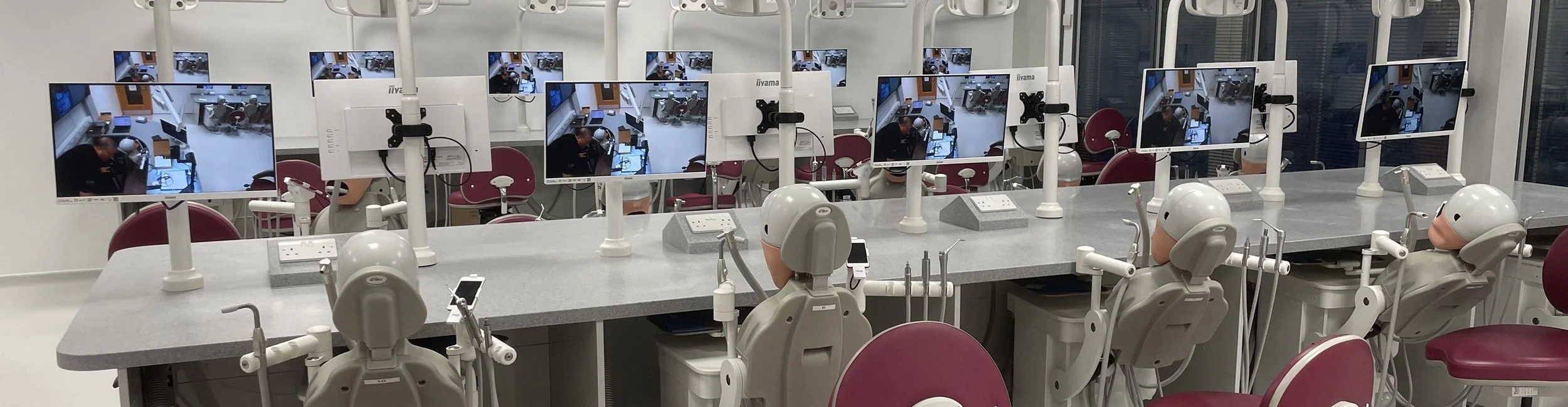

Simulation clinical skills room
The University of Leeds School of Dentistry is a leading UK dental institution based at the Leeds Dental Institute that offers undergraduate and postgraduate education, clinical training, and research in oral and dental sciences.
Client: University of Leeds School of Dentistry
Location: University of Leeds, West Yorkshire
Scope: Installation of student-facing monitors to show high-definition footage of live dental demonstrations, along with a large room display and a high-definition visualiser for showing example work and teaching materials.
Project Brief
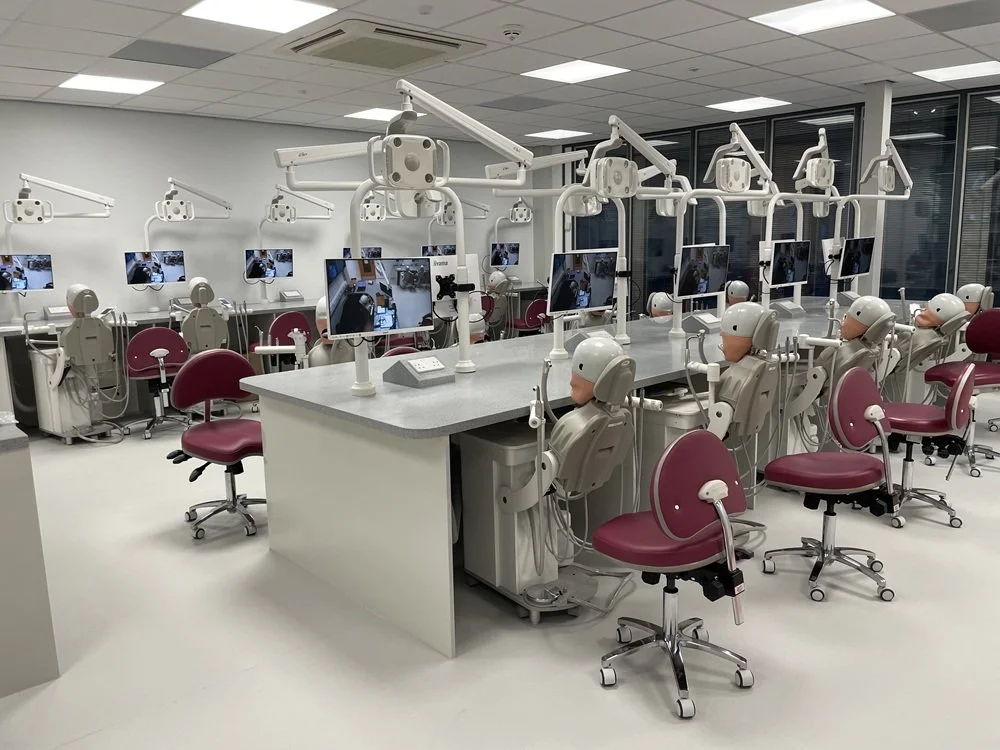
The University of Leeds School of Dentistry required an audio visual system for a clinical skills room where students gain practical experience in a simulated dental environment. Dental phantom head simulators allow students to practise operative techniques while following the lecturer’s guidance.
AV2000 was asked to install student-facing monitors so that high-definition footage of live dental demonstrations could be shared directly with students at their workstations. The brief also included a large room display and a high-definition visualiser for showing example work and teaching materials. Clear views of detailed practical work were central to the design.
The Solution
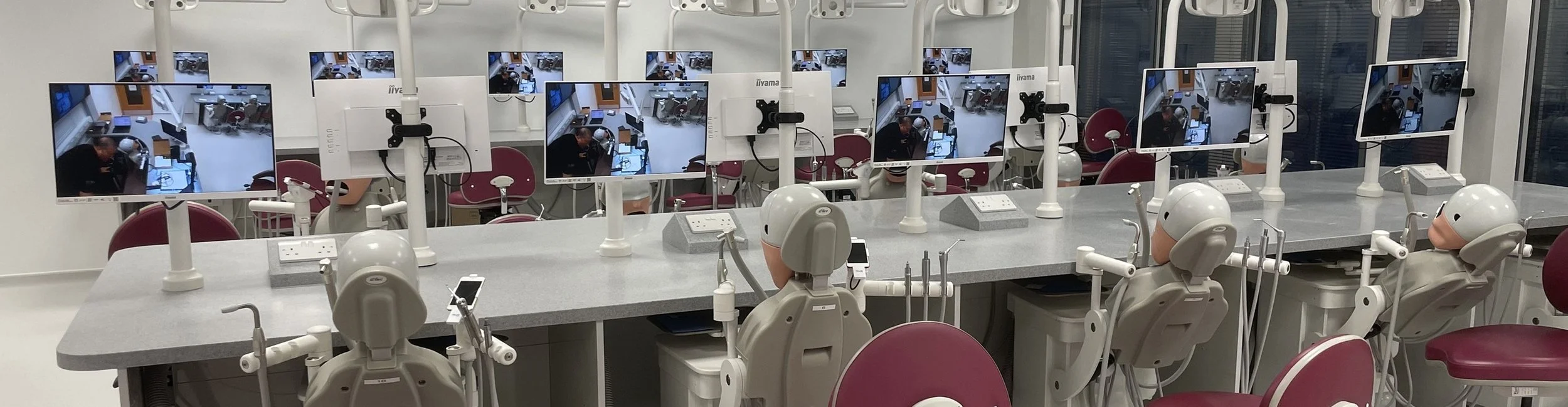
We installed 16 white iiyama 21.5-inch monitors facing the student workstations, giving students a close view of the lecturer’s demonstration while they work with their dental phantom heads.
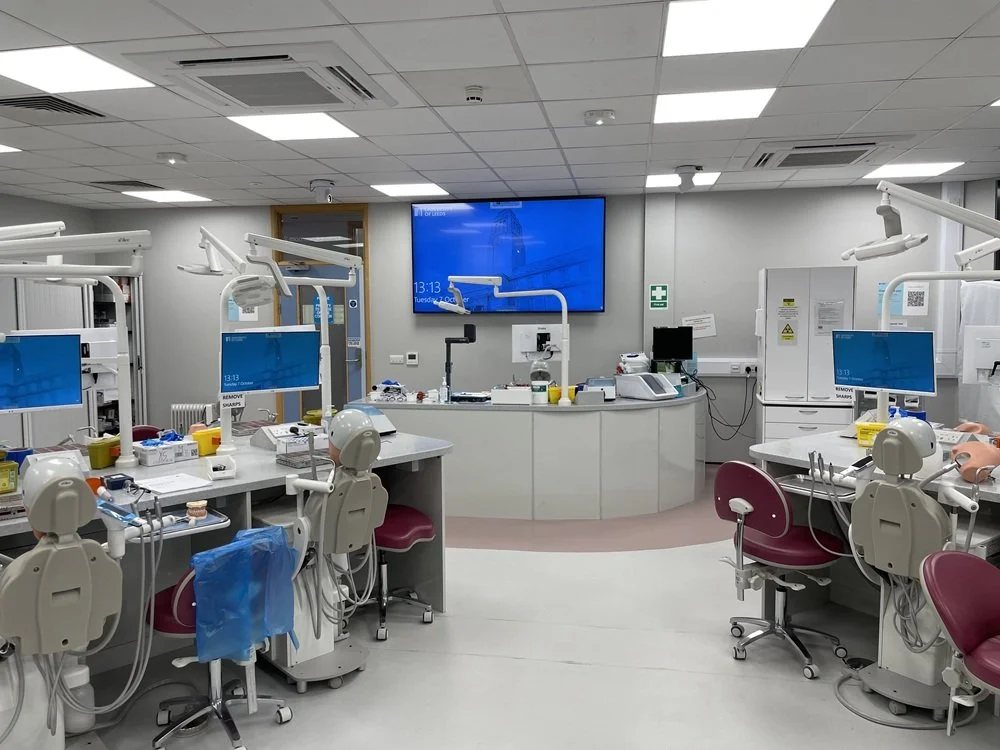
A separate matching monitor was also installed to provide a confidence display for the tutor, allowing them to check the content being presented.
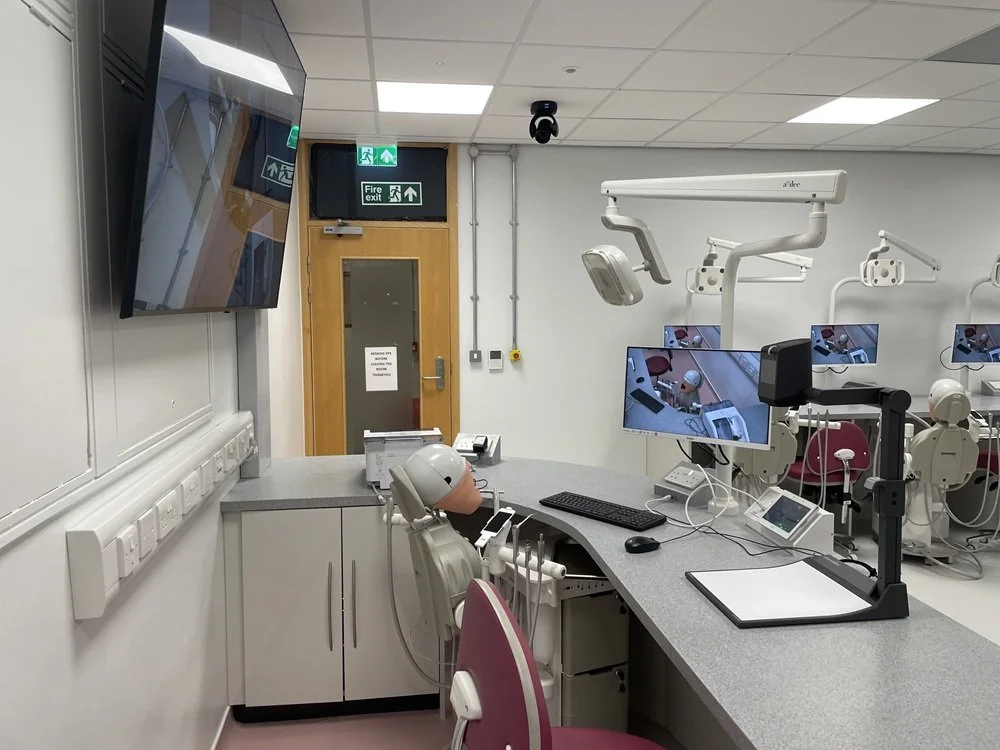
Two AVer CAM520 Pro3 HD PTZ cameras, mounted at ceiling level, were chosen to capture the lecturer’s practical demonstrations. Their pan, tilt and zoom functions allow the view to be adjusted to the area being demonstrated, helping students follow fine detail on the workstation monitors.
A WolfVision VZ8 UHD visualiser provides another way to share detailed images of example work, objects and teaching materials. Together with a laptop HDMI input, it gives the lecturer a choice of live camera footage, visualiser images and prepared presentation content to support each session.
A 75-inch LG display installed behind the lecturer’s bench provides a large shared viewing point for the room.
An Extron TLP Pro 725M touch panel and control processor helped bring system operation together, through a programmed interface.
Extron MPA amplifiers and FF 220T ceiling speakers now provide room audio playback.
The installation also included an equipment rack to house the core electronics, alongside the cabling and bench connectivity needed to complete the system.
Key System Highlights
16 student-facing 21.5-inch iiyama monitors at the practical workstations
A separate 21.5-inch tutor confidence monitor
Two ceiling-mounted AVer HD PTZ cameras for live demonstrations
WolfVision VZ8 UHD visualiser for example work and teaching materials
75-inch LG room display behind the lecturer’s bench
Laptop HDMI input with Kramer source switching and signal distribution
Extron touchscreen control and ceiling speaker audio playback
Optical HDMI cabling and a dedicated 16U equipment rack
The Result
The completed installation connects the lecturer’s demonstration area with the student workstations, making detailed teaching content available where practical learning takes place. Students can follow live demonstrations and view example work on nearby monitors as they practise in the simulated dental environment. The combination of cameras, visualiser and laptop input gives the lecturer several ways to explain a technique, supported by a large room display and a dedicated confidence monitor.
Benefits Delivered
Close views of demonstrations at each equipped student workstation
Live camera footage to support practical teaching with dental phantom heads
Detailed display of example work through the visualiser
Flexible selection of camera, visualiser and laptop content
A tutor confidence monitor for checking the displayed material
Centralised control of the room’s integrated AV facilities
Frequently Asked Questions
What AV equipment was installed at the University of Leeds by AV2000?
AV2000 delivered an integrated audio-visual installation for a teaching space at the University of Leeds. The system includes 16 student-facing iiyama monitors, two ceiling-mounted AVer PTZ cameras, a WolfVision UHD visualiser, a 75-inch LG display and an Extron touchscreen control system. These components work together to support demonstrations, presentations and visual learning.
How can AV technology improve the learning experience in universities?
Audio-visual technology helps universities deliver engaging, accessible and visually clear teaching experiences. Displays, cameras and presentation systems allow students to follow demonstrations and view learning materials more easily. The University of Leeds project demonstrates how AV2000 can integrate these technologies into a specialist teaching environment to support different teaching methods.
What should universities consider when planning an AV installation?
Universities should consider room layout, student capacity, viewing distances, teaching methods, connectivity, ease of use and future technology requirements. An effective AV system should integrate displays, cameras, presentation equipment and controls into a solution that meets the needs of both lecturers and students. AV2000's University of Leeds installation demonstrates how equipment can be tailored to a specific teaching environment.
What are the benefits of installing multiple displays in a university teaching room?
Multiple displays allow students to access visual content directly from their individual workstations, rather than relying on a single screen at the front of the room. In the University of Leeds project, AV2000 installed 16 student-facing monitors to support the delivery of practical demonstrations and learning materials across the teaching space.
How do PTZ cameras support teaching and presentations?
Pan-tilt-zoom (PTZ) cameras give presenters greater flexibility by allowing camera angles and zoom levels to be adjusted to suit the content being demonstrated. In the University of Leeds installation, AV2000 integrated two ceiling-mounted AVer PTZ cameras into the teaching room's AV system, enabling live demonstrations to be shared with students.
What is an integrated AV system, and why is it useful in education?
An integrated AV system connects multiple technologies, such as displays, cameras, visualisers, audio equipment and control interfaces, so they work together as one coordinated solution. This can simplify classroom operation, reduce the need to manage individual devices separately and give lecturers greater flexibility when presenting content. AV2000's University of Leeds project is an example of integrated AV designed around the requirements of a specialist teaching space.
How can touchscreen controls simplify AV systems in universities?
Touchscreen control panels provide a central interface for operating AV equipment, selecting presentation sources and managing connected devices. They can make complex installations easier for lecturers and support staff to use without requiring specialist technical knowledge. At the University of Leeds, AV2000 integrated an Extron touchscreen control system to manage the room's AV technology.
What is the role of a visualiser in a modern teaching environment?
A visualiser enables lecturers to display physical objects, printed materials and detailed examples on a larger screen. It is particularly useful when teaching involves demonstrating processes or examining materials that students may otherwise struggle to see clearly. AV2000 included a WolfVision VZ8 UHD visualiser in the University of Leeds installation to support flexible presentation and demonstration activities.
Can AV systems be customised for different university teaching spaces?
Yes. Universities have different requirements depending on whether a space is used for lectures, practical demonstrations, seminars, collaborative learning or specialist training. AV systems can be designed around room dimensions, student numbers, teaching activities and existing infrastructure. AV2000's University of Leeds project illustrates how displays, cameras and control technology can be combined to meet the needs of a specific educational environment.
Why should universities work with a specialist AV installation company?
A specialist AV installation company can help universities select appropriate equipment, plan system integration, manage installation and configure technology around their teaching requirements. Working with an experienced integrator can also help ensure that different components operate together effectively. AV2000's University of Leeds project demonstrates its approach to delivering an integrated AV solution for a higher education environment.