

What makes a truly "Microsoft Teams Certified" meeting room?
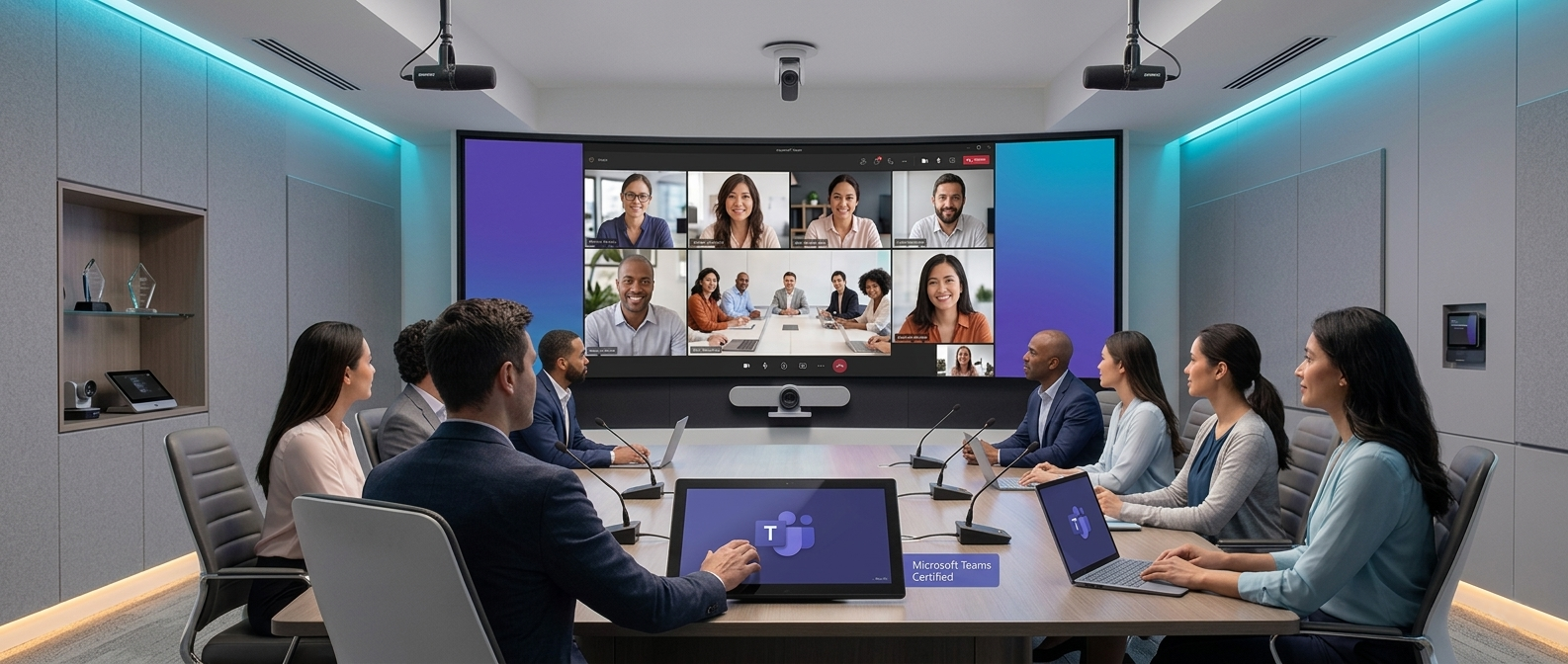
As hybrid working continues to evolve, organisations are investing heavily in meeting spaces that deliver seamless collaboration between in-office and remote participants. One phrase that frequently appears in AV specifications and procurement discussions is "Microsoft Teams Certified". But what does this certification actually mean, and what makes a meeting room truly worthy of the label?
Many assume that installing a Teams-compatible camera or display is enough. In reality, creating a genuinely Microsoft Teams Certified meeting room involves a combination of certified hardware, thoughtful room design, user experience considerations, and ongoing management.
Understanding Microsoft Teams Certification
Microsoft's certification programme is designed to ensure that devices work reliably within the Teams ecosystem. Certified products undergo rigorous testing to verify compatibility, performance, security, and user experience standards.
These devices can include:
Video conferencing cameras
Speakerphones
Microphones
Touch panels
Meeting room controllers
Collaboration displays
Complete Microsoft Teams Rooms systems
Certification provides assurance that devices have been tested to work as intended with Microsoft Teams and will receive ongoing support and updates. However, certification alone does not guarantee a successful meeting room experience.
The Difference Between Certified Devices and a Certified Experience
A common misconception is that a room becomes "Teams Certified" simply because it contains certified equipment. In practice, the meeting experience depends on how those devices are integrated and configured within the space. A room filled with certified products can still suffer from poor audio quality, inadequate camera coverage, confusing controls, or unreliable connectivity.
A truly effective Microsoft Teams room delivers:
Clear audio for every participant
Consistent video quality
Simple one-touch meeting joins
Reliable content sharing
Minimal user training requirements
Consistent operation across multiple rooms
The focus should always be on the experience rather than the specification sheet.
Audio Comes First
When users complain about meeting quality, audio is often the root cause.
Remote participants can tolerate occasional video issues, but poor sound quickly leads to frustration and disengagement. For this reason, audio design should be the foundation of every Teams room project.
Key considerations include:
Microphone Coverage
Every participant should be heard clearly regardless of where they are seated. Modern beamforming microphones and intelligent audio processing can significantly improve speech pickup while reducing unwanted background noise.
Room Acoustics
Hard surfaces, glass walls, and open-plan environments can create echoes and reduce speech intelligibility. Acoustic treatment should be considered as part of the room design process rather than an afterthought.
Loudspeaker Placement
Audio should be evenly distributed throughout the room without causing feedback or creating volume inconsistencies.
Camera Placement Matters More Than Resolution
Many organisations focus on camera resolution, but placement often has a greater impact on meeting quality.
A 4K camera positioned incorrectly will provide a worse experience than a well-positioned Full HD solution.
Factors to consider include:
Eye-level positioning
Room depth
Participant visibility
Lighting conditions
Auto-framing capabilities
Modern AI-powered cameras can automatically track speakers and frame participants, helping remote attendees feel more connected to the meeting.
A Consistent User Experience
One of the biggest challenges for organisations with multiple meeting spaces is inconsistency.
If every room operates differently, users spend valuable meeting time trying to understand how the technology works.
A truly Microsoft Teams Certified environment should offer:
Consistent room layouts
Standardised user interfaces
Familiar touch-panel controls
Predictable content-sharing workflows
Uniform meeting join processes
The goal is to make technology invisible so users can focus on collaboration rather than troubleshooting.
Network and Infrastructure Readiness
Meeting room technology is increasingly dependent on network performance.
Even the best Teams Rooms solution will struggle if the underlying infrastructure cannot support high-quality audio and video traffic.
Organisations should assess:
Available network bandwidth
Quality of Service (QoS) policies
Wireless performance
Security requirements
Remote management capabilities
As AV and IT continue to converge, collaboration between both teams has become essential.
Device Management and Monitoring
The meeting room experience does not end once the installation is complete.
Proactive monitoring allows organisations to identify issues before they affect users. Device health, firmware status, room utilisation, and system alerts can all be monitored centrally.
Benefits include:
Reduced downtime
Faster fault resolution
Improved user satisfaction
Better long-term investment value
A well-managed Teams environment delivers greater reliability and a lower total cost of ownership.
Future-Proofing Your Investment
Technology evolves rapidly, and meeting spaces should be designed with flexibility in mind.
When planning a Microsoft Teams room, consider:
Scalability for future growth
Support for emerging AI features
Expandable audio systems
Additional camera options
Integration with room booking and workplace management platforms
Future-proofing helps organisations maximise the lifespan of their AV investment while remaining adaptable to changing workplace requirements.
Final Thoughts
A truly Microsoft Teams Certified meeting room is about far more than ticking a box on a procurement checklist. While certified hardware provides an important foundation, successful meeting spaces are built around user experience, intelligent room design, high-quality audio, reliable infrastructure, and proactive management.
The most effective Teams rooms are those that allow people to join meetings effortlessly, communicate clearly, and collaborate naturally - regardless of where they are working.
Ultimately, certification is the starting point. Delivering a consistent, reliable, and engaging meeting experience is what separates an ordinary meeting room from a truly Microsoft Teams Certified environment.
Learn more about Microsfot Teams Certification and how your organisation can achieve it.
Talk to our friendly AV experts today:
0113 256 2200